HTML Entity Encoder
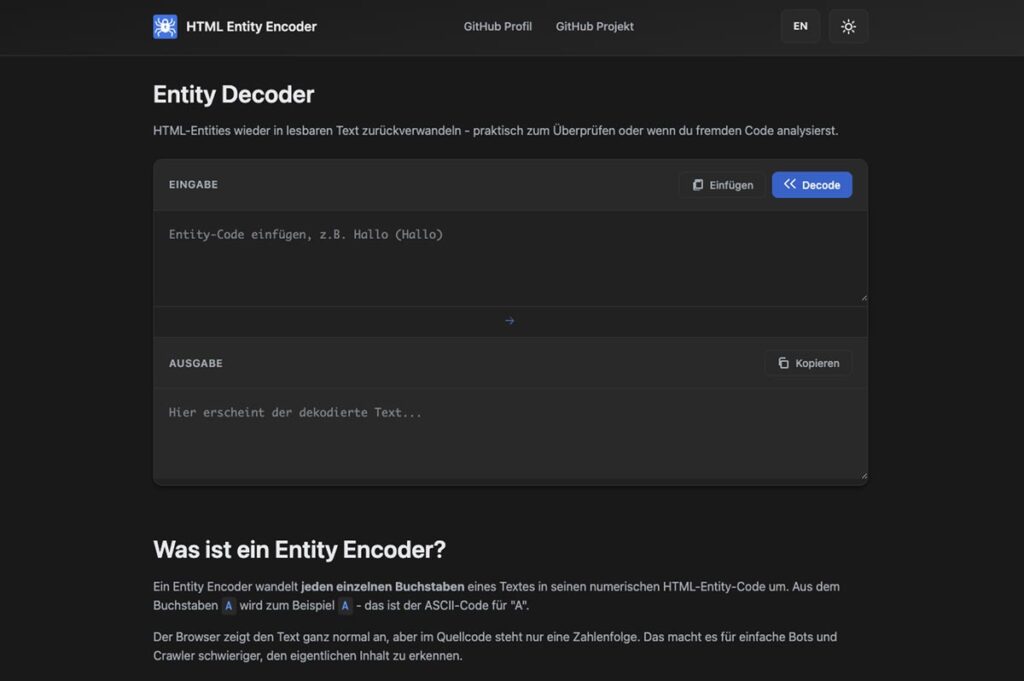
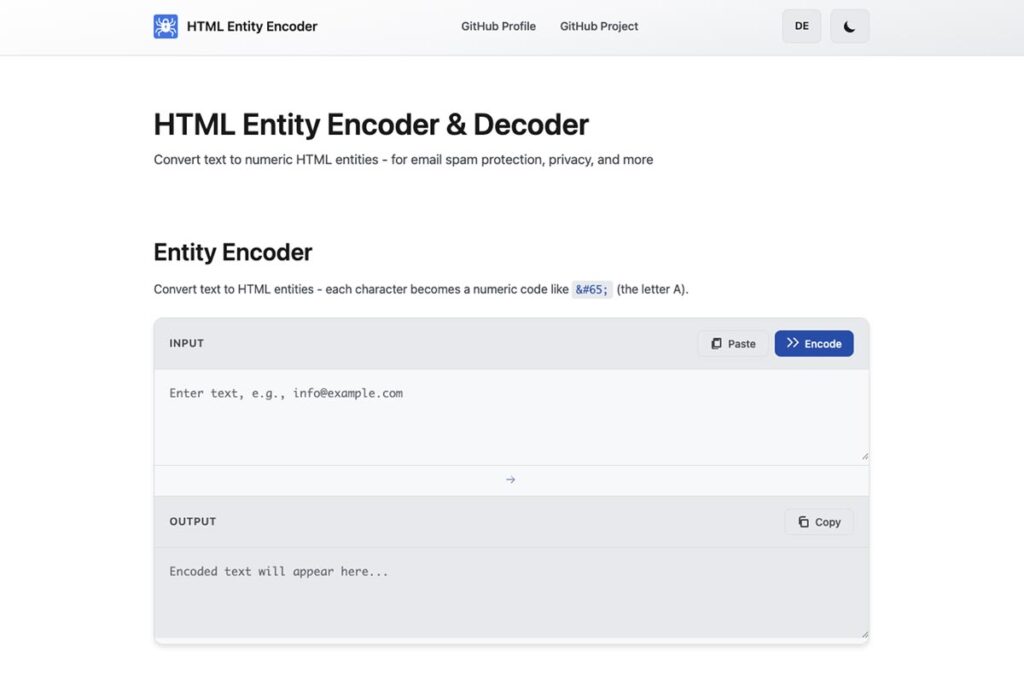
Ein schlankes Web-Tool zur Umwandlung von Text in numerische HTML-Entities – und wieder zurück.
Ideal zur E-Mail-Verschleierung, für Datenschutz-Seiten und zur sicheren Darstellung von Sonderzeichen.

Technologie
- HTML
- CSS
- JavaScript
- GitHub Pages
Fokus
- String-Verarbeitung
- RegEx
- DOM-Manipulation
- Theme-Handling
Design
- Minimal UI
- Dark-/Light-Mode
- Responsive
- WCAG AA
Kontext
- Lernprojekt
- Vanilla JS
- Ohne Frameworks
- Praxisnaher Use Case
Projektüberblick
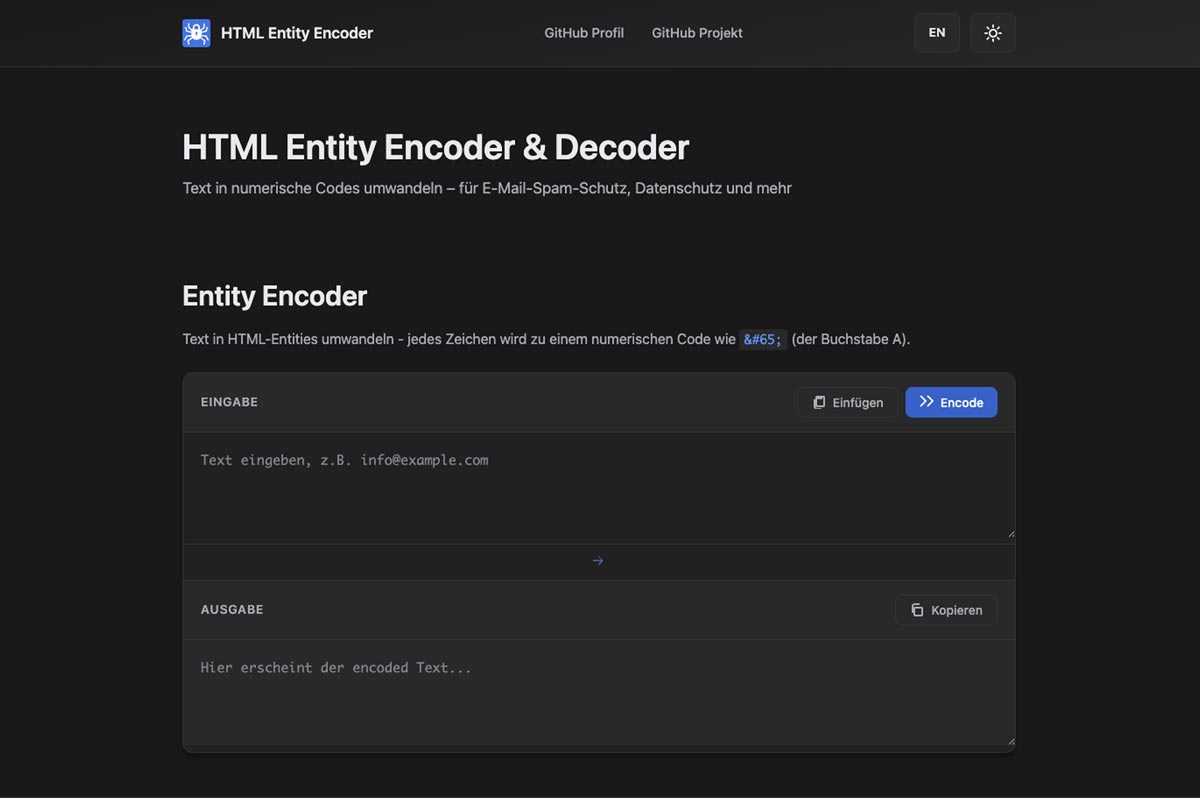
Das Tool entstand aus einem praktischen Bedarf:
Ich nutzte in WordPress häufig einen E-Mail-Encoder zum Schutz vor Spam-Bots. Ich wollte diese Funktion aber auch für meine eigenständig entwickelten Seiten ohne Plugin-Lösung einsetzen.
Daraus entstand dieses minimalistische Tool zur Umwandlung von Text in HTML-Entities – umgesetzt mit reinem JavaScript und ohne zusätzliche Libraries.
Gestaltung
- Logo-Design (Vorhängeschloss mit Spinnenbeinen)
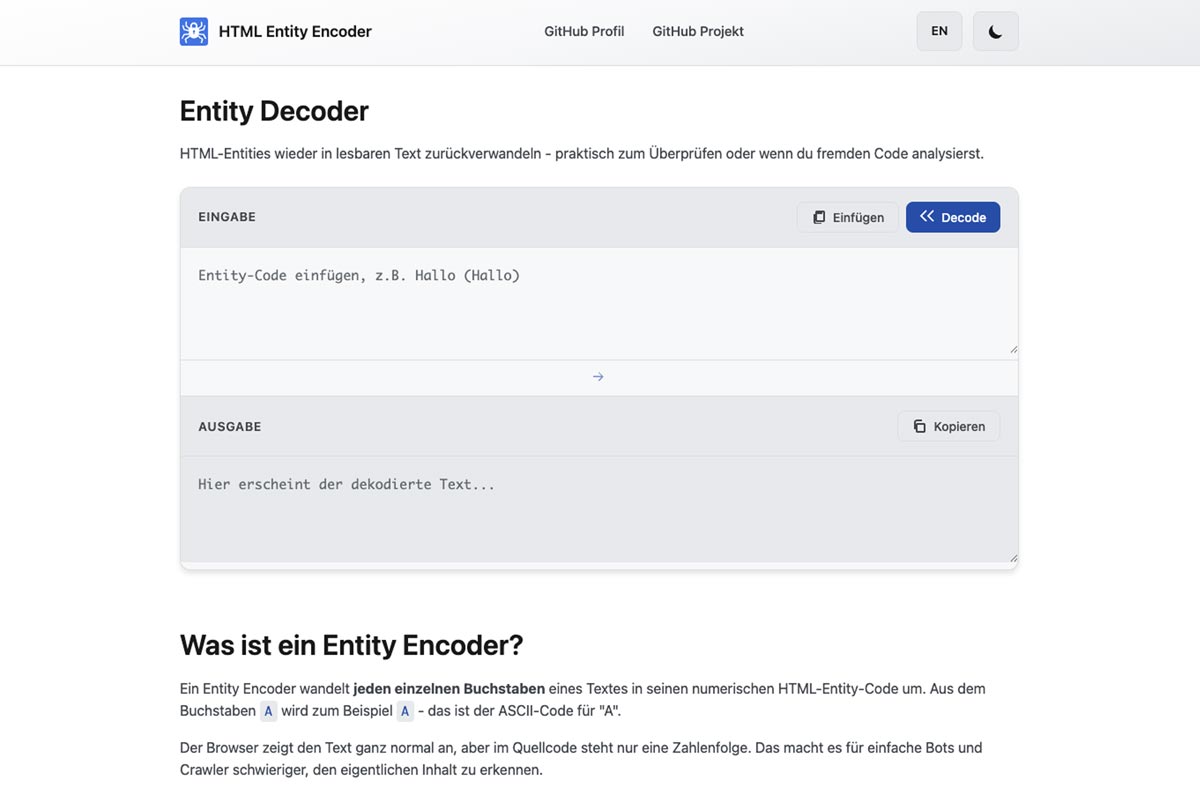
- Minimalistisches Interface
- Dark-/Light-Mode
- Kontrastoptimierung (WCAG AA)
- Responsive Layout
Das visuelle Konzept ist bewusst reduziert gehalten – Fokus auf Funktion statt Dekoration.
Technische Umsetzung
- HTML5
- CSS3 (Custom Properties)
- Vanilla JavaScript
- RegEx-basierte Entity-Erkennung
- Clipboard API
- Theme-Speicherung via Local Storage
- Deployment über GitHub Pages
- Unicode-Umwandlung via charCodeAt()
Keine Libraries. Kein Build-Prozess. Keine Abhängigkeiten.
Script-Logik
Die Encoding-Funktion wandelt jedes Zeichen eines Strings über charCodeAt() in seinen Unicode-Codepoint um und erzeugt daraus numerische HTML-Entities.
Beim Decoding werden Entities mithilfe eines regulären Ausdrucks erkannt und über String.fromCharCode() zurück in lesbaren Text konvertiert.
Besonderer Fokus lag auf:
- sauberer String-Verarbeitung
- korrekter RegEx-Struktur
- klarer Trennung von Struktur (HTML), Stil (CSS) und Logik (JS)
- browserseitiger Ausführung ohne Server
Decoder – JavaScript
    // ===========================
// Entity Decoder
// ===========================

document.querySelectorAll('.entity-decoder').forEach(block => {
    const input = block.querySelector('.code-input');
    const output = block.querySelector('.code-output');
    const decodeBtn = block.querySelector('.decode-btn');
    const copyBtn = block.querySelector('.copy-btn');
    const pasteBtn = block.querySelector('.paste-btn');

    // Decode function - converts HTML entities back to text
    function decodeEntities(str) {
        return str.replace(/&#(\d+);/g, (match, dec) => {
            return String.fromCharCode(dec);
        });
    }

    // Paste button click handler
    pasteBtn.addEventListener('click', async () => {
        try {
            const text = await navigator.clipboard.readText();
            input.value = text;
            input.focus();

            // Visual feedback
            pasteBtn.classList.add('copied');
            const btnText = pasteBtn.querySelector('svg').nextSibling;
            const originalText = btnText.textContent.trim();
            btnText.textContent = originalText === 'Paste' ? ' Pasted!' : ' Eingefügt!';

            setTimeout(() => {
                pasteBtn.classList.remove('copied');
                btnText.textContent = ' ' + originalText;
            }, 1500);
        } catch (err) {
            // Clipboard access denied or not available
            console.log('Paste not available:', err);
        }
    });

    // Decode button click handler
    decodeBtn.addEventListener('click', () => {
        const inputText = input.value;

        if (!inputText) {
            return;
        }

        output.value = decodeEntities(inputText);
        output.focus();
        output.select();

        // Visual feedback
        decodeBtn.classList.add('copied');
        const btnText = decodeBtn.querySelector('svg').nextSibling;
        const originalText = btnText.textContent.trim();
        btnText.textContent = originalText === 'Decode' ? ' Done!' : ' Fertig!';

        setTimeout(() => {
            decodeBtn.classList.remove('copied');
            btnText.textContent = ' ' + originalText;
        }, 1500);
    });

    // Copy button click handler
    copyBtn.addEventListener('click', async () => {
        const outputText = output.value;

        if (!outputText) {
            return;
        }

        try {
            // Modern clipboard API
            await navigator.clipboard.writeText(outputText);

            // Visual feedback
            copyBtn.classList.add('copied');
            const btnText = copyBtn.querySelector('svg').nextSibling;
            const originalText = btnText.textContent.trim();
            btnText.textContent = originalText === 'Copy' ? ' Copied!' : ' Kopiert!';

            setTimeout(() => {
                copyBtn.classList.remove('copied');
                btnText.textContent = ' ' + originalText;
            }, 1500);
        } catch (err) {
            // Fallback for older browsers
            output.select();
            document.execCommand('copy');

            copyBtn.classList.add('copied');
            const btnText = copyBtn.querySelector('svg').nextSibling;
            const originalText = btnText.textContent.trim();
            btnText.textContent = originalText === 'Copy' ? ' Copied!' : ' Kopiert!';

            setTimeout(() => {
                copyBtn.classList.remove('copied');
                btnText.textContent = ' ' + originalText;
            }, 1500);
        }
    });
});
Ergebnis
Ein schlankes, barrierearmes Web-Tool, das lokal im Browser läuft und ohne externe Abhängigkeiten auskommt.
Das Projekt diente mir als Praxisübung für:
- DOM-Manipulation
- String-Handling
- Theme-Handling mit Local Storage
- saubere JavaScript-Struktur
Meine Rolle
- Konzept & Anwendungsdefinition
- UI-Design & Logo
- Frontend-Entwicklung (HTML, CSS, JavaScript)
- Testing & Optimierung
- Deployment über GitHub Pages
Portfolio
- Webdesign
- Design & Layout
- Werbetechnik
- Textilveredelung
- All
-
Sort by:
- Date
- Title
Calmety
WP Blog über alternative Gesundheits- und Hausmittel – von Name, Logo, Icons bis zur Website aus einer Hand

Clip & Sound
Ein WooCommerce-Shop für digitale Produkte – Prototyp: Gestaltung, Technik & UX

Diese Seite – Webdesign & Prototyping
Von Konzept über Design bis zum Nachbau in HTML & CSS – ein Einblick in meine Web- und UI/UX-Skills.

Grey
Eindrucksvolle Markeninstallation über drei Etagen für Grey Düsseldorf – trotz Fehlinformation und Zeitdruck erfolgreich umgesetzt.
HTML Entity Encoder
Frontend-Tool zur Umwandlung von Text in numerische HTML-Entities: einfache Spam-Obfuskation von E-Mail-Adressen sowie sichere Darstellung von Sonderzeichen.

Textildruck & Stickerei
Durch fachgerechtes Punchen, Weißmasken im DTG, sorgfältiges Entgittern und präzisen Siebdruck wurden hochwertige Ergebnisse termingerecht umgesetzt.
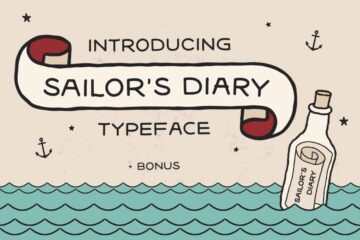
Toolbox
Meine Toolbox – Fonts, Brushes & Pattern mit persönlichem Touch

Werbetechnik
Von Event-Visuals für Vans, Carhartt und Red Bull bis zu klassischen Beschriftungen: Ich realisierte Projekte von der Dateiaufbereitung bis zur Montage – präzise, kreativ und oft unter engem Zeitdruck.
Clients
Während meiner Selbstständigkeit habe ich unter anderem diese interessanten Kunden regelmäßig betreut.